
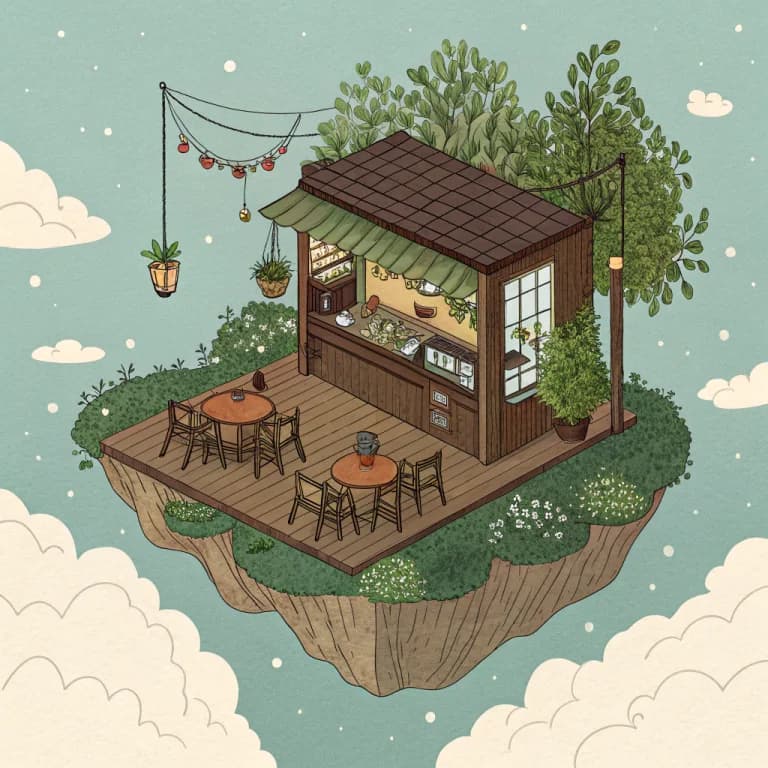
State-of-the-art image generation optimized for design and branding. SVG vector output support.
Real output · Prompt: “an isometric tiny coffee shop on a floating island, detailed”
Models in this article
01
What is Recraft V3? The State-of-the-Art in Design AI
Recraft V3, hosted on the Replicate platform, represents a paradigm shift in generative AI specifically tailored for designers and brand architects. Unlike general-purpose models like Midjourney or DALL-E 3, Recraft V3 is engineered with a deep understanding of design principles, offering unique capabilities such as native SVG vector output and unparalleled text rendering fidelity. Released by the Recraft AI team, this model addresses the long-standing 'black box' issue of image generation by providing users with granular control over style consistency, color palettes, and geometric precision. Whether you are building a logo, a complex UI kit, or marketing illustrations, Recraft V3 bridges the gap between raw AI creativity and professional-grade output.
02
Revolutionary SVG and Vector Support
The Vector Advantage in Professional Workflows
One of the most significant limitations of traditional diffusion models is their reliance on raster formats. When you generate an image with SDXL or Flux, you are limited by pixel density. Recraft V3's documentation highlights its ability to export directly to
Scalable Vector Graphics (SVG). This means that an AI-generated logo can be scaled from a business card to a billboard without any loss in quality. For design teams, this eliminates the tedious process of manual vectorization, effectively saving hours of production time. The model doesn't just 'trace' a raster image; it understands the mathematical paths and nodes required for clean, professional vector art.03
Key Features and Design-Centric Capabilities
- Native SVG Export: High-fidelity vector paths for logos and icons.
- Brand Consistency: Create 'Style Sets' to maintain a uniform look across hundreds of assets.
- Advanced Text Rendering: Capable of generating long strings of legible, aesthetically pleasing text within images.
- Color Control: Specify exact HEX codes or palettes to ensure brand compliance.
- Inpainting and Outpainting: Precise editing tools to modify specific regions of an image without altering the overall composition.
Style Consistency and Design Sets
Maintaining brand identity is the 'holy grail' of corporate design. Recraft V3 introduces the concept of Style Sets. Users can define a specific aesthetic—ranging from flat 2D illustrations to 3D claymorphism—and apply it to every subsequent generation. This ensures that a marketing campaign featuring 50 different icons looks like it was created by a single hand.
04
Technical Architecture and Model Training
Recraft V3 is built on a custom diffusion architecture optimized for spatial awareness and typographic accuracy. While many models struggle with the physics of light or the anatomy of letters, Recraft was trained on a curated dataset of professional design assets rather than just generic web scrapes. This focus allows the model to achieve a lower
Fréchet Inception Distance (FID) score in design-specific benchmarks compared to its predecessors. On Replicate's infrastructure, the model utilizes A100 or H100 GPUs to ensure inference times remain under 10 seconds for standard resolutions.05
Performance Benchmarks: Recraft V3 vs. The World
To understand where Recraft V3 sits in the current AI landscape, we must look at the data. In recent head-to-head tests involving text-to-image accuracy and design utility, Recraft V3 consistently outperforms larger models in specific categories.
Typographic Precision
One of the most impressive feats of V3 is its ability to handle long-form text. While most models fail after a few words, Recraft can accurately render full sentences and paragraphs in a variety of fonts. This makes it the go-to choice for creating social media templates, book covers, and infographics directly from a prompt.
06
Pricing and Deployment via Replicate
Recraft V3 is available on a pay-as-you-go basis via Replicate, making it highly accessible for developers. Typical costs are calculated per second of GPU usage. For a standard 1024x1024 image, users can expect to pay between $0.003 and $0.01 depending on the chosen hardware and complexity. This model is significantly more cost-effective than hiring a freelance illustrator for rapid prototyping.
07
Advanced Features for Professional Designers
Color Palette Control
Unlike other models that require complex prompt engineering like
'use shades of teal and burnt orange', Recraft V3 allows for direct color input. You can supply a list of HEX codes, and the model will strictly adhere to that palette. This is a critical feature for brand designers who must work within strict style guides. It ensures that the generated assets integrate perfectly into existing marketing collateral without needing extensive color correction in Photoshop.08
Limitations and Honest Critique
Despite its strengths, Recraft V3 is not a 'magic button' for all visual needs. It is highly optimized for graphic design, which means its performance in hyper-realistic photography may lag behind models like Midjourney V6 or Flux.1. Additionally, while the SVG export is revolutionary, complex gradients and 3D effects in vectors can sometimes result in a high number of paths, which may require minor cleanup in Adobe Illustrator. It is also worth noting that the model requires a stable internet connection for API-based generation, as local deployment is currently limited by high VRAM requirements.
09
Use Cases: From Branding to UI Design
Automated Marketing Assets
Digital marketing agencies are using Recraft V3 to automate the creation of display ads. By piping the model into their existing CRM, they can generate personalized ad visuals for thousands of different audience segments in minutes. Because the model understands layout and hierarchy, the resulting images often require zero manual adjustment before going live.
10
How to Get Started on Railwail
- Create an account at /sign-up.
- Navigate to the /models/recraft-v3 page.
- Set your API key in your development environment.
- Run your first prompt and export the results as SVG.
11
Conclusion: The New Standard for Design AI
Recraft V3 isn't just another image generator; it is a specialized tool that respects the constraints of professional design. By offering native vector support, strict color control, and typographic excellence, it stands alone as the premier choice for branding and marketing applications. As AI continues to evolve, the move toward specialized, domain-specific models like Recraft V3 will define the next era of creative technology. Start building with Recraft V3 today on Railwail and redefine your design workflow.
Models in this article
Live prices from Railwail's current rules, 21 de octubre de 2026.
- Recraft V3RecraftUSD 0.048 por imagenTry
- Stable Diffusion XLStability AI≈ USD 0.0015 por ejecuciónTry
≈ billed by actual tokens or GPU time
Next step
Try Recraft V3 on Railwail
Sign in with Google for 10 free credits (usable 24 hours after sign-up, runs up to 2 credits), or top up from USD 5.00. Unused balance does not expire.
Topicsrecraft v3replicateimageAI modelAPIdesignvectorbranding